Installing Android Studio
To start, you're going to need to install Android Studio. Go to developer.android.com/studio and click the download button.
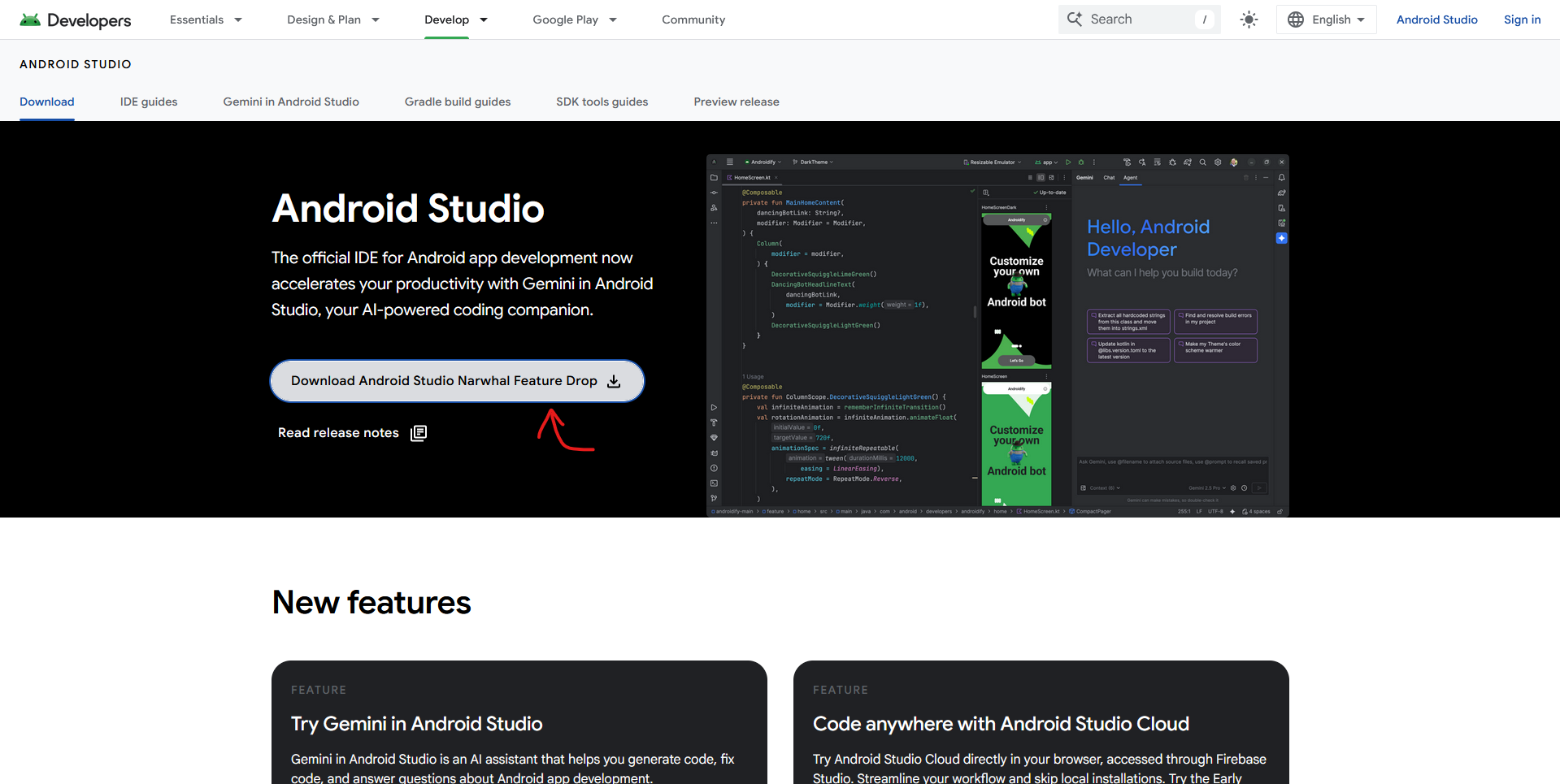
Accept the terms and agreements at the bottom and download the install file. Once the file is downloaded, click it to open it. Depending on your device, follow the instructions to install Android Studio.
Downloading and Opening Road Runner
After installing Android Studio, you need to get the code framework we use called Road Runner by ACME Robotics. To download it, go to the GitHub repo and download the files.
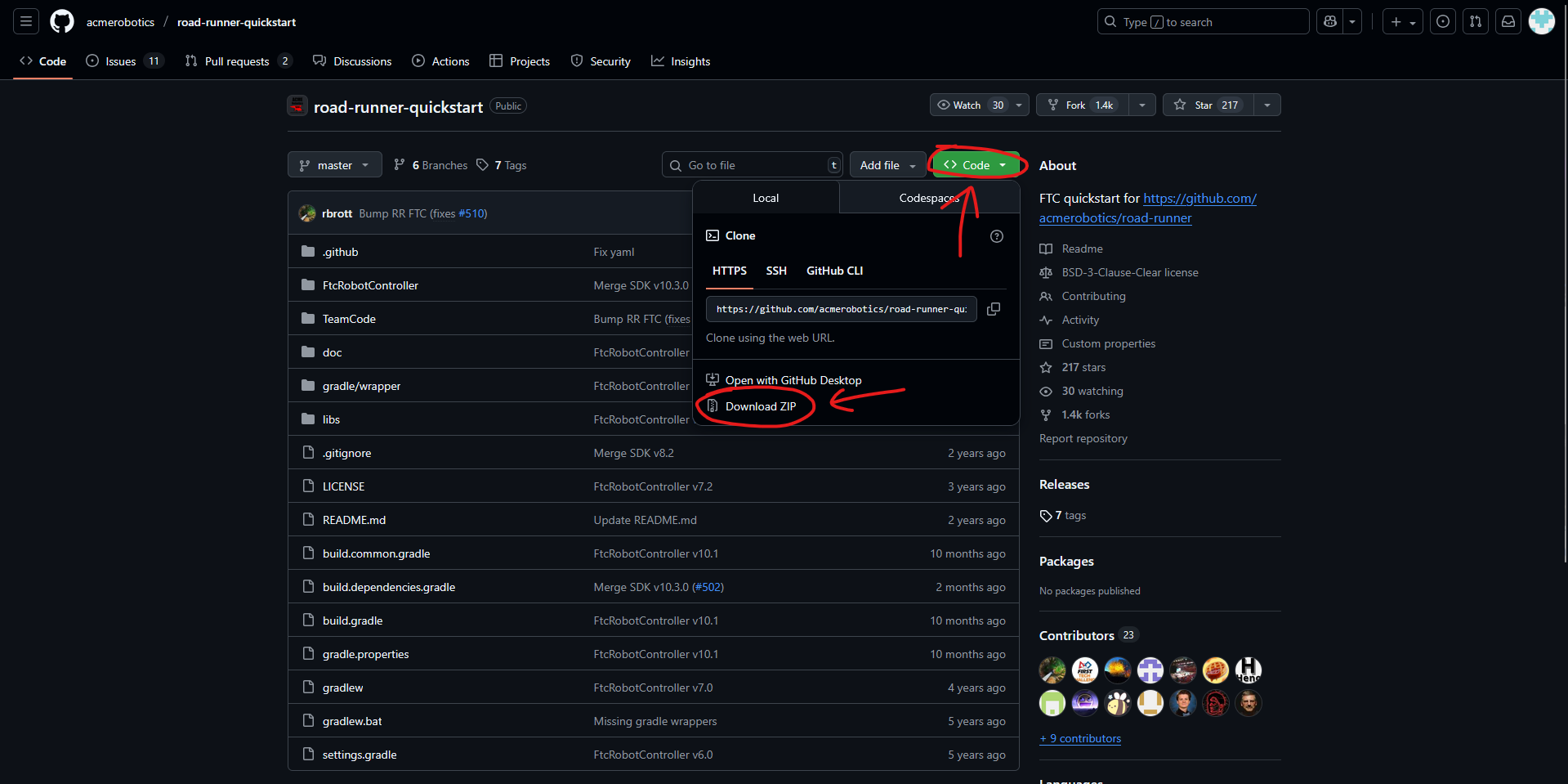
Once you've downloaded the .zip file, go into your file manager and unzip the file. Now, open up Android Studio. If you haven't downloaded Android Studio yet, install it now!
When Android Studio launches, press Open and find the road-runner folder. If you need to, expand the road-runner folder then click on the file with the green icon next to it.
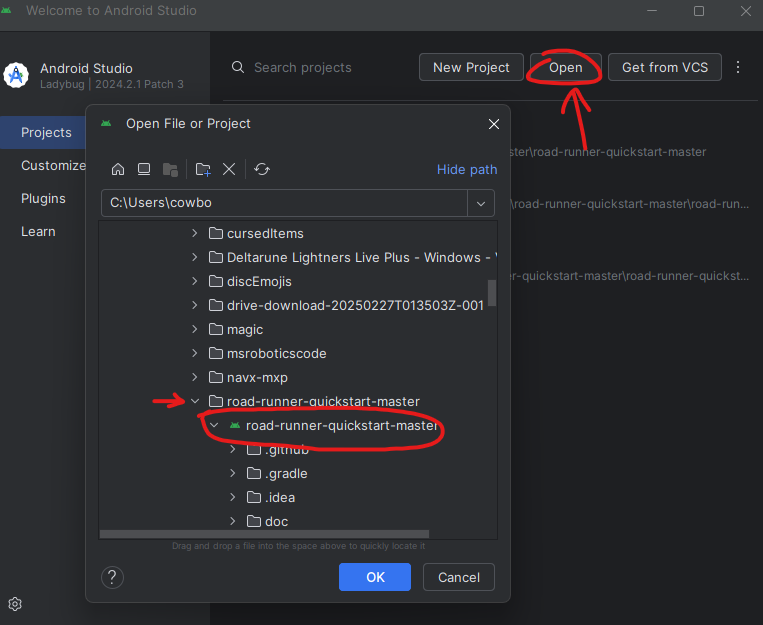
Wait for Android Studio to launch the file. Once it's finished you can find all important code files in:
TeamCode > java > org > firstinspires > ftc > teamcodeYou should also create new files in the same folder. It may also look like TeamCode > java > org.firstinspires.ftc.teamcode — each period is just indicating another folder.