This page will teach you how to open up software with the Windows key. It's very helpful if you need to open an application that didn't or doesn't have a premade shortcut.
How To
- Press the key that looks like the Windows logo on your keyboard. It should open up a big search box on your screen with some application icons below.
- Start typing in the name of the app you want to open.
- When the application's icon shows up, either click "Open" or just press Enter on your keyboard.
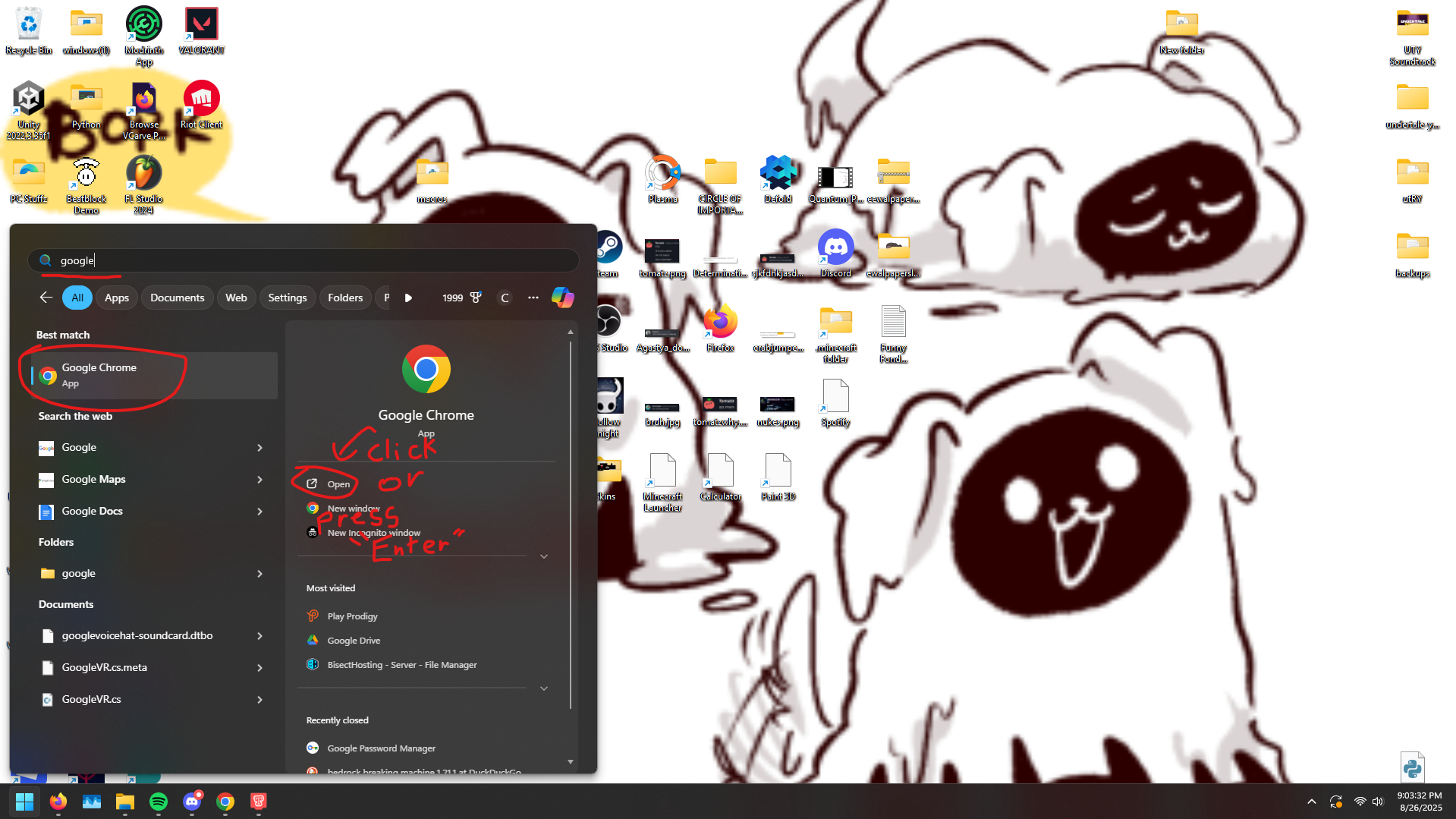
That's it. You're a Windows power user now.